 terravel
Publisher’s note: This guide describes Terravel’s own public web games. The iPhone app and optional Terravel+ purchases are separate from free browser play.
Which free geography game should you play first?
For a quick daily question, open the daily geography quiz. For a longer untimed round, try the world geography quiz. Neither asks you to create an account. A browser and internet connection are enough; the interactive games use JavaScript.
The activities below are Terravel’s own browser games. This page explains what each one asks you to do and which limitations matter. You can go straight to a game rather than installing the iPhone app.
Choose between questions, flags, maps and recall
- Daily geography quiz: Answer one question, read the explanation and reveal a real place. A new question is selected for your local calendar date.
- World geography quiz: Match 12 real places to their countries, with two places from each of six inhabited continents.
- Continent geography quizzes: Choose a region and answer eight place-trivia questions. Each answer includes an explanation.
- Flag quiz: Select flag mode and identify the country. The separate photo-silhouette mode uses concealed place photographs.
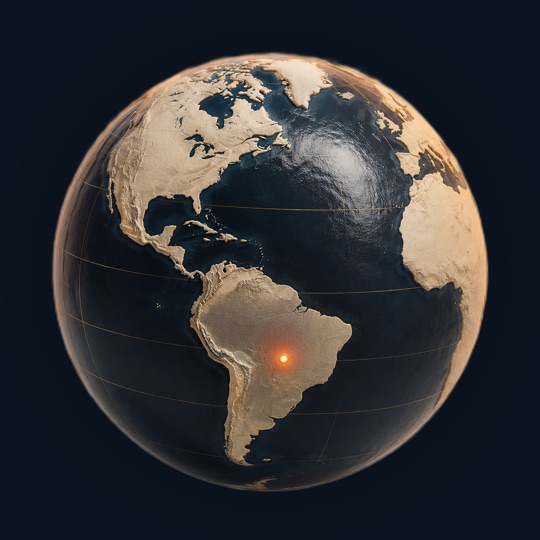
- Map pin challenge: Look at a marked real location and identify its country. This is not a street-view exploration game.
- Country naming game: Type countries from memory during a 90-second challenge. The accepted list is based on Terravel’s catalog rather than an authoritative count of every country.
What does “free, no sign-up” mean here?
The listed browser activities do not require payment, an email address or a Terravel account to play. You do not need an App Store subscription to open them. The optional Terravel+ app product is separate from access to these web games.
No account does not mean no browser storage or no analytics. Some activities keep progress or selections on your device, and the website includes analytics as described in the privacy policy. Deleting browser data can remove locally saved state.
Can you play on a phone or desktop?
The browser pages can be opened on a phone, tablet or desktop. A larger screen can make map details easier to inspect, while the daily question suits a short phone session. Keep JavaScript enabled for interactive scoring and let the data finish loading before starting a timed activity.
If a game does not load, refresh once and check your connection. The question-and-answer collection also gives you a readable practice activity without interactive scoring.
Will your progress follow you to another device?
Do not assume a browser score or local streak follows you between devices. No-sign-up web play does not create a synced Terravel account. Use the iPhone app if its saved collection and progress features fit how you want to explore, and check the current app description for details.
For casual self-study, a simple note is enough: record the place, its country and the clue you missed. The point of the next round is to revisit that specific gap.
Can you use these games for a quiz night?
You can take turns reading questions from the 24-question collection and keep scores on paper. For an online challenge, send someone a link to the same world or continent quiz. These activities do not create a live multiplayer room or synchronize a game clock.
Use the daily question when you want a small shared topic. People on different local calendar dates may receive different daily questions. A static world quiz is a simpler choice if everyone needs the same question set.
What should you try after your first round?
If country locations were difficult, try the map challenge. If you recognized answers but could not produce names yourself, try country recall. If one unfamiliar landscape caught your attention, open its place atlas entry and read the location and story.
For a choice between different publishers, read the geography quiz app comparison. For a ready-made weekly mix of activities, use the seven-day practice plan.
Sources and review notes
These are Terravel’s public game pages and privacy information. The guide describes the activities available on October 23, 2026.